
Droid Weight1.5.5 - Get APK
You'll be able to download in few seconds.
Publisher Description
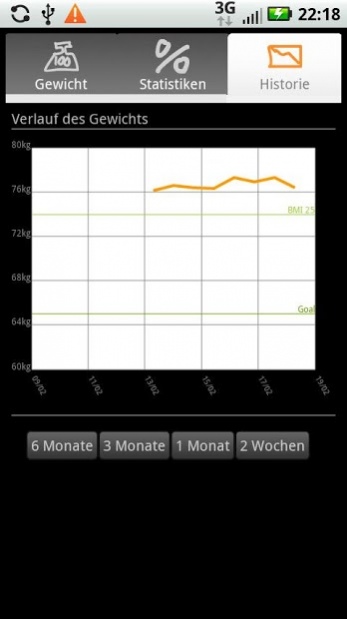
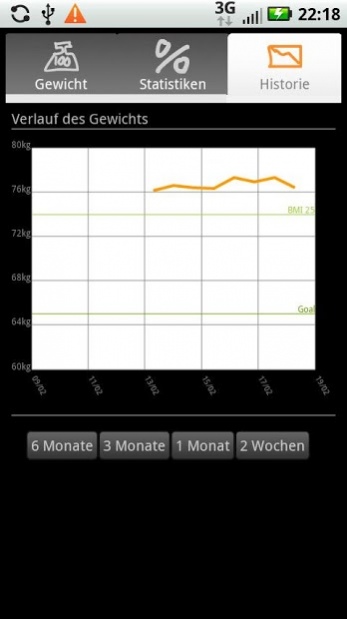
Droid Weight is a simple weight tracking tool that helps you keep a journal of your weight and monitor yourself on your android phone. Droid Weight is als an Open Source project hosted at Google Code: http://code.google.com/p/droidweight
Features:
* tracks your weight & BMI
* tracks body fat & waist length
* graphs your weight history for all your data however far back
* allows to set a target weight you want to reach
* calculates statistics from your entries
* units either in kg or pd
* configurable notification as daily(configurable!) reminder
* import & export data to sdcard
* delete all entries from database
* different user-friendly input options
* allows editing for custom dates on all entries
* comments: enable comments in the preferences, add comments when creating or editing entries, copy comments from previous entries via the context menu
Permissions and Data
Droid Weight does not send your data anywhere.
android.permission.WRITE_EXTERNAL_STORAGE is required so that you can import and export your data to and from text files.
If android.permission.READ_PHONE_STATE shows up once you have installed Droid Weight, this is due to a bug in android: Droid Weight does not use the phone state or identity.
If you notice a problem with Droid Weight or would like a new feature, please don't write this in the review on Android Market: instead please create a new issue at http://code.google.com/p/droidweight/issues/entry
About Droid Weight
The company that develops Droid Weight is Delusional Development. The latest version released by its developer is 1.5.5.
To install Droid Weight on your Android device, just click the green Continue To App button above to start the installation process. The app is listed on our website since 2013-09-05 and was downloaded 0 times. We have already checked if the download link is safe, however for your own protection we recommend that you scan the downloaded app with your antivirus. Your antivirus may detect the Droid Weight as malware as malware if the download link to de.delusions.measure is broken.
How to install Droid Weight on your Android device:
- Click on the Continue To App button on our website. This will redirect you to Google Play.
- Once the Droid Weight is shown in the Google Play listing of your Android device, you can start its download and installation. Tap on the Install button located below the search bar and to the right of the app icon.
- A pop-up window with the permissions required by Droid Weight will be shown. Click on Accept to continue the process.
- Droid Weight will be downloaded onto your device, displaying a progress. Once the download completes, the installation will start and you'll get a notification after the installation is finished.
Program Details
System requirements
Download information
Pricing
Version History
version 1.5.5
posted on 2013-09-05
* added comment function: enable comments in the preferences, add comments when creating or editing entries, copy comments from previous entries via the context menu
* sends error reports via mail if the user wishes on restart after a crash
* fixed legacy menu button for even more phones
version 1.2.1
posted on 2011-04-07
Several fixes and updates
Disclaimer
External Download
We do not host Droid Weight on our servers. We did not scan it for viruses, adware, spyware or other type of malware. This app is hosted by Galad and passed their terms and conditions to be listed there. We recommend caution when installing it.
The APK Download link for Droid Weight is provided to you by apps112.com without any warranties, representations or guarantees of any kind, so access it at your own risk.
If you have questions regarding this particular app contact the publisher directly. For questions about the functionalities of apps112.com contact us.
